
Why these streaming devices can be dangerous, unreliable, and why BTWI does not support them.
Streaming television has changed how we watch our favorite shows, movies, and live sporting events. Services like Netflix, Hulu, Disney+, and YouTube have made it easier than ever to watch entertainment over an internet connection.
However, not all streaming services operate the same way, and some come with significant legal, security, and reliability concerns.
You may have heard of devices called SuperBox, vSeeBox, or other "fully loaded" Android TV boxes. These devices are often advertised as offering thousands of television channels, premium movies, live sports, and pay-per-view events without requiring a traditional cable subscription.
While that might sound appealing, there are some important things you should know before purchasing or using one.
At BTWI, we want our customers to understand the risks associated with these devices, why they frequently experience streaming problems, and why we do not provide technical support for unauthorized streaming services.
What Are SuperBox and vSeeBox?
SuperBox and vSeeBox are Android-based streaming devices that connect to your television and use your internet connection to deliver video content.
Unlike traditional streaming devices such as Roku, Apple TV, or Amazon Fire TV, these products are frequently marketed alongside applications that promise access to thousands of premium television channels, movies, sports, and other content for a one-time purchase price.
Many of these applications rely on unofficial IPTV (Internet Protocol Television) services.
IPTV itself is not illegal. In fact, many legitimate television providers use internet-based technology to deliver programming.
The difference is whether the provider has permission and proper licensing to distribute the content being streamed.
When a service offers channels, movies, and sporting events that normally require paid subscriptions, without authorization from the content owners, that raises serious copyright concerns.
Are These Streaming Boxes Illegal?
The answer depends on how the device and its streaming applications are being used.
The physical hardware is not automatically illegal simply because it is an Android streaming box. However, selling, distributing, or using associated services to provide unauthorized access to copyrighted content raises significant legal concerns.
Federal courts have already taken action against businesses distributing unauthorized streaming services associated with these devices.
In one federal case involving DISH Network and Sling TV, a court entered a judgment against a reseller of services accessed through vSeeBox and similar devices. The case involved unauthorized retransmission of copyrighted television channels and resulted in $1.25 million in damages.
In June 2026, Cord Cutters News also reported on federal court action involving SuperBox and vSeeBox streaming services.
These cases demonstrate that businesses cannot simply redistribute premium television programming without obtaining the appropriate rights.
Customers should also understand that paying several hundred dollars for a streaming box does not automatically mean the television programming offered through it is legally licensed.
Buying a device does not give its streaming provider permission to distribute copyrighted content.
Why These Devices Can Be Dangerous
Beyond the legal concerns, there are significant cybersecurity risks associated with unofficial streaming devices and applications.
Cybersecurity company Norton published an article discussing the potential security risks of SuperBox, vSeeBox, and similar Android streaming products.
Some of these risks include:
- Malware and viruses: Unofficial applications may contain malicious software that can compromise the device.
- Privacy concerns: Some devices and applications communicate with unfamiliar servers, potentially exposing information about your network or online activity.
- Network security threats: A compromised device may attempt to communicate with or attack other devices connected to your home network.
- Unauthorized network activity: Infected streaming devices can potentially be used by criminals to generate unwanted internet traffic, participate in cyberattacks, or route activity through your home connection.
- Limited security updates: Unofficial devices and applications may lack the security testing and ongoing updates provided by reputable manufacturers.
Security researchers have also reported suspicious network behavior involving certain SuperBox devices, including attempts to interfere with local network communications.
Not every SuperBox or vSeeBox has been proven to contain malware. However, the risks associated with unverified applications and unofficial streaming services are concerning enough that customers should exercise extreme caution.
A device that appears to do nothing more than stream television may be doing considerably more behind the scenes.
Why Does My SuperBox Buffer When Netflix, Hulu, Disney+, and YouTube Work Fine?
This is one of the most important things for customers to understand.
At BTWI, we occasionally encounter situations where a customer reports that their internet is not working correctly because their SuperBox, vSeeBox, or another unofficial streaming application is buffering, freezing, or failing to load channels.
However, the same customer may be able to watch Netflix, Hulu, Disney+, or YouTube without any problems.
If legitimate streaming services are working correctly while an unofficial streaming service is not, that is a strong indication the issue may be with the streaming provider rather than your BTWI internet connection.
Here's why.
1. Not All Streaming Servers Are Created Equal
Major streaming platforms such as Netflix, YouTube, Hulu, and Disney+ invest heavily in infrastructure designed to deliver video reliably to millions of viewers.
These providers use content delivery networks (CDNs), distributed servers, and other technologies to help deliver content quickly and efficiently.
Unofficial IPTV services may depend on a limited number of servers, unreliable hosting providers, or overloaded infrastructure.
When too many people attempt to watch the same content, especially during popular sporting events, these servers may struggle to keep up.
The result can be buffering, freezing, poor picture quality, or channels that fail to load entirely.
No amount of additional internet speed can fix an overloaded or failing streaming server.
2. The Streaming Provider May Be Experiencing an Outage
Unauthorized streaming services may experience unexpected interruptions for many reasons, including:
- Servers going offline or becoming overloaded.
- Streaming sources being removed or shut down.
- Changes to the original television provider's security systems.
- Application errors or failed updates.
- Hosting providers suspending services.
- Network problems between the streaming server and the customer's location.
These issues occur outside of BTWI's network and are not something our technicians can repair.
If the streaming service's servers are unavailable, having a faster internet connection will not restore them.
3. Your Internet Connection and the Streaming Service Are Two Different Things
Think of your internet connection like a highway.
BTWI provides the highway that connects your home to the internet. The websites, applications, and streaming services you visit are destinations along that highway.
If one destination is closed, overloaded, or experiencing technical difficulties, that does not necessarily mean the highway is broken.
The same concept applies to streaming.
Your BTWI internet connection may be delivering your subscribed speeds and operating normally, while a particular streaming provider is experiencing problems.
BTWI provides your connection to the internet. We do not operate, maintain, or control the third-party servers providing television streams through SuperBox, vSeeBox, or similar services.
4. Faster Internet Does Not Automatically Fix Buffering
Many customers assume that buffering means they need a faster internet package.
That is not always true.
As we discussed in our previous blog, How Much Internet Speed Do You Really Need?, internet performance depends on several factors beyond your download speed.
These include your Wi-Fi connection, network congestion, the number of devices in use, and the performance of the service you are accessing.
For example, if Netflix and YouTube stream high-definition video without interruption, but an unofficial IPTV application buffers repeatedly, increasing your internet package from 100 Mbps to 500 Mbps is unlikely to resolve a problem originating with that IPTV provider.
A reliable streaming experience requires both a working internet connection and a streaming service capable of delivering content reliably.
Why BTWI Does Not Support SuperBox, vSeeBox, or Unauthorized IPTV Services
BTWI is committed to providing reliable internet access and quality customer support.
However, we do not provide technical support, configuration assistance, or troubleshooting for unauthorized IPTV services, including unofficial streaming applications commonly used with SuperBox, vSeeBox, and similar devices.
There are several reasons for this policy.
Legal concerns: BTWI does not assist customers in accessing or configuring services that unlawfully distribute copyrighted programming.
Security concerns: We cannot verify the safety of unofficial applications, firmware, or the servers these devices communicate with. We will not recommend changes to your network security settings to accommodate potentially unsafe services.
Third-party reliability: BTWI has no control over the servers, applications, content sources, or infrastructure operated by these streaming providers.
Limited troubleshooting visibility: Unlike services and equipment we directly manage, BTWI cannot diagnose or repair problems within an unauthorized IPTV provider's systems.
This does not mean BTWI will refuse to help a customer who owns one of these devices.
We are still happy to troubleshoot your BTWI internet connection, including verifying service availability, evaluating connection performance, and assisting with issues related to BTWI-managed network equipment.
However, if we determine that your internet connection is working correctly and the issue is isolated to an unsupported streaming service, our ability to assist ends there.
We cannot guarantee that any particular third-party application or streaming service will function correctly simply because your internet connection is operating normally.
How Can I Tell Whether It's My Internet or My Streaming Box?
If your streaming device is buffering, freezing, or showing an error message, try a few simple tests before assuming your internet connection is the problem.
Step 1: Test another streaming service.
Open YouTube, Netflix, Hulu, Disney+, or another legitimate streaming service on your television or a different device.
If these services work normally, your internet connection may be functioning correctly.
Step 2: Test other devices.
Try browsing the internet on your phone, laptop, or another device connected to the same network.
If multiple unrelated services and devices are experiencing problems, the issue could involve your internet or Wi-Fi connection.
Step 3: Check your internet performance.
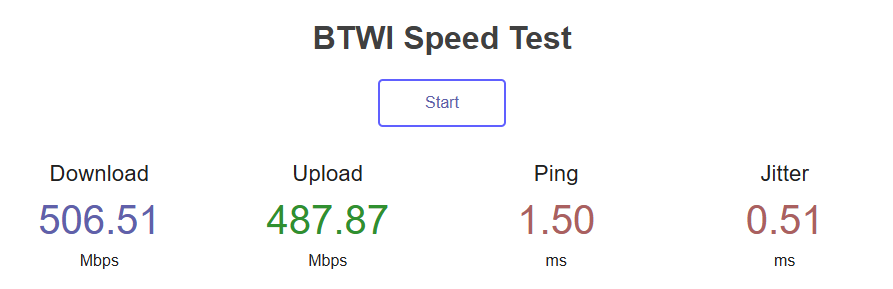
Run a speed test using a reliable device, preferably connected directly to your router with an Ethernet cable.
Remember that Wi-Fi performance can vary depending on signal strength, interference, and the capabilities of your equipment.
Step 4: Determine whether the issue is isolated.
If your internet speed is normal, other applications work correctly, and only the unofficial IPTV service is failing, the problem is more likely related to that particular device, application, or streaming provider.
These tests are useful indicators, not absolute proof. If you are experiencing problems across multiple services, BTWI can help investigate your internet connection.
What Streaming Devices and Services Do We Recommend?
For a more dependable and secure streaming experience, BTWI recommends using recognized streaming devices and properly licensed services.
Popular devices include Roku, Apple TV, Amazon Fire TV, and certified Google TV devices.
These products support legitimate streaming applications, receive manufacturer updates, and generally offer better long-term support.
Customers looking to eliminate traditional cable television also have legitimate alternatives, including Netflix, Hulu, Disney+, YouTube TV, Sling TV, and other licensed streaming services.
While some require monthly subscriptions, they provide a more accountable way to access television programming without relying on unauthorized streaming sources.
Our Commitment to Reliable Internet
BTWI understands how frustrating it can be when your favorite television program freezes, buffers, or refuses to load.
We take reports of internet performance issues seriously and work to ensure our customers receive the reliable service they expect.
However, it is important to distinguish between an internet connection problem and a problem with a third-party streaming provider.
When Netflix, Hulu, Disney+, YouTube, and other legitimate services are working correctly, but an unofficial IPTV service is not, the issue should not automatically be attributed to your internet provider.
BTWI cannot fix a streaming service's overloaded servers, restore unauthorized content that has been removed, or repair an application operated by an unrelated third party.
We encourage our customers to use reputable streaming devices and licensed content providers to reduce security risks and avoid unnecessary frustration.
Our responsibility is to provide you with a reliable connection to the internet. The streaming provider is responsible for delivering the content you are trying to watch.
If you are experiencing widespread internet connectivity problems, our local support team is available to help.
BTWI Wireless Internet
Phone: 515-465-3043
Additional Reading
For more information about the legal and cybersecurity concerns surrounding these devices, we encourage customers to review the following resources:
- Cord Cutters News — A Federal Judge Says SuperBox & vSeeBox Are Illegal
- Norton — Are SuperBox and vSeeBox Safe? Legal and Security Risks
- U.S. Federal Court — DISH Network v. Padilla, Final Judgment and Permanent Injunction
Written with the assistance of AI.
Related pages